
WindAlert: Wind & Weather Map
WeatherFlowWeather
4.7658.00 Reviews
- Version
- 5.0
- Installs
- 100.00K
- Age Rating
- Everyone
Screenshots
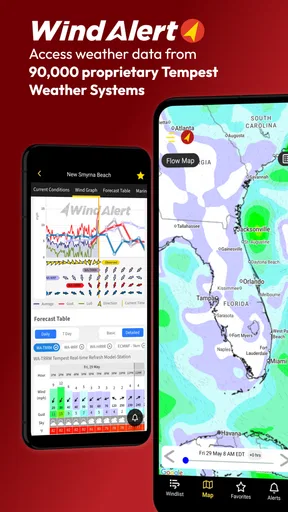
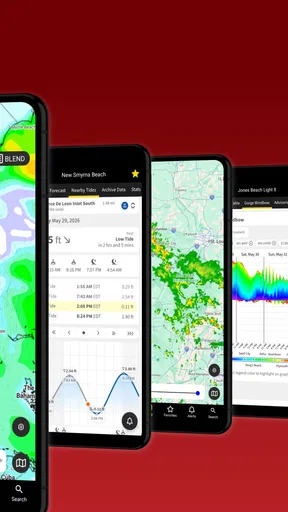
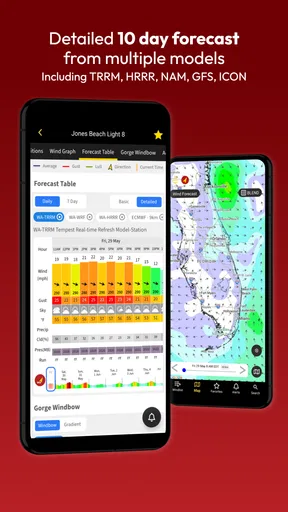
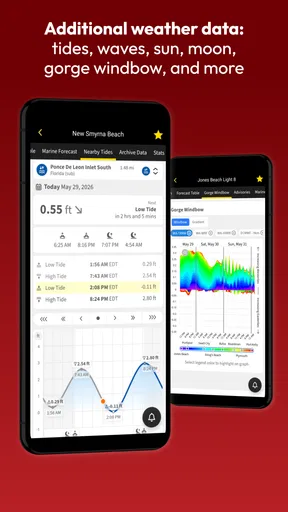
Our Review of WindAlert: Wind & Weather Map
 Analysis by Appyee
I find a wind-focused weather app most useful when it helps me answer a practical question: is it a good time to go, and what should I check before I leave? That is the lens I use with WindAlert: Wind & Weather Map. It is built around wind and outdoor conditions, with forecasts, alerts, tides, and radar in the mix. That makes it a more purposeful choice than a weather app I open only to glance at the temperature.
WeatherFlow develops this free weather app, which is suitable for everyone and has reached over 100,000 installs. Its average rating is 4.7 from around 3,400 ratings, so it has found an audience among people who want more than a basic daily forecast. I would approach it as a tool to support a decision, not as a guarantee that conditions will behave exactly as predicted.
A practical routine for checking conditions
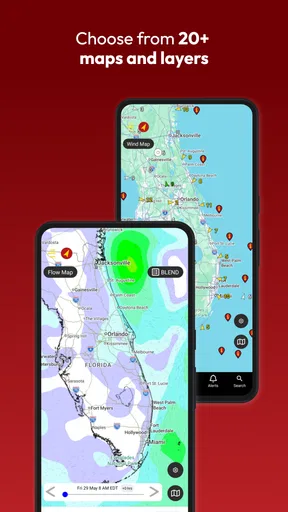
My baseline workflow is simple: start with the forecast for the place I plan to visit, look at the wind conditions, then use the map to check the broader picture. That last step matters. A single location can look manageable while nearby conditions suggest the weather is changing across the area. The radar and map views are useful complements to a quick forecast, especially when I am making plans that depend on more than whether it will rain.
For example, if I am deciding whether to take a bike ride along an exposed route, I would check the forecast before getting dressed, then look again at the map before setting off. Wind direction can affect how comfortable the route feels, and a change in conditions can matter more outdoors than it does on a short walk through town. I would still use judgement on the day: an app can help me prepare, but it cannot make an exposed route feel sheltered.
Settings and alerts that earn their place
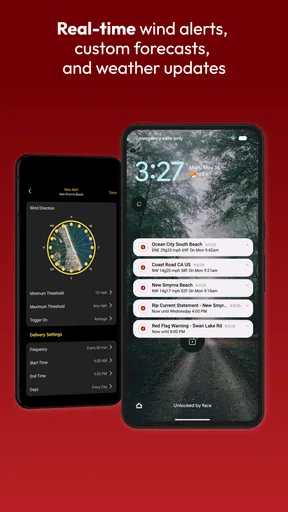
Alerts are most helpful when I set them around a real decision rather than turning on every notification available. Someone who sails, kitesurfs, or works outside may care about a particular wind threshold or direction; someone checking the weather for a casual errand may not. I would begin with the conditions that would actually change my plans, then adjust from there. That keeps an alert useful instead of turning it into background noise.
The app also covers tides, which gives it a more specific role for coastal planning than a standard forecast app. I would check those details as part of one repeatable pre-trip routine: confirm the weather, review the wind, then check the tide information before committing to a shoreline activity. That sequence is a small but useful habit because it makes the app serve a concrete purpose rather than inviting aimless browsing.
WindAlert is free to download, though it offers in-app purchases priced from $5.49 to $179.99 per item. I would take a moment to understand what an optional purchase adds before paying, and compare it with how often I genuinely use the app. The free starting point makes it easy to see whether this wind-centered approach suits me, while the range of purchase prices is a reason not to assume every extra is necessary for ordinary checks.
Faster habits for repeat visits
If I regularly check the same area, I get more value from keeping my routine consistent: look at the same location, compare the same kinds of conditions, and use alerts only for meaningful changes. Familiarity makes it easier to notice when the forecast differs from what I expected. I would also check conditions close to departure for plans that are sensitive to wind, rather than relying on a glance hours earlier.
Community reports can add a useful local perspective to that routine. They are not a substitute for a forecast, but a report from someone near the place I am going may help me interpret what the broader view means on the ground. I would treat such reports as another clue, not as a verified measurement: local observations can be valuable, but they depend on who is reporting and when.
Where I would be cautious
WindAlert’s focus is also its main trade-off. If all I want is a quick answer about today’s high temperature or a simple rain outlook, a general-purpose weather app may feel more direct. Here, the wind, map, alert, and tide tools are most useful when I have a reason to look beyond a basic forecast. A casual user might not need that extra detail often enough to build a habit around it.
I also would not treat a smooth interface or a precise-looking map as proof that every local condition is captured. Weather changes, and a forecast is still a forecast. For a safety-sensitive outing, I would check conditions again before leaving and use sensible caution if the weather looks uncertain. Community observations can be helpful, but they should not carry the whole decision.
Using WindAlert with a clear purpose
The app is on version 5.0 and supports Android 5.0 or later. Those details make it straightforward to check whether an Android device can run it, while the app’s overall appeal depends more on whether wind information is part of my regular plans. I would recommend it most readily to people who spend time on the water, near the coast, or in exposed outdoor places, and less readily to someone who only wants a minimalist forecast.
First Impressions: What’s the Buzz?
From the get-go, WindAlert impressed me with its clean and intuitive interface. It’s not one of those apps that bombards you with too many features right off the bat. Instead, it eases you in with a user-friendly dashboard that’s both sleek and informative. I mean, who doesn’t love an app that’s easy on the eyes?
The home screen gives you a quick snapshot of the current weather conditions, highlighting wind speed, direction, and other essential data. And let me tell you, the real-time updates are spot on. It’s like having a mini weather station in your pocket!
Features That Stood Out
Alright, let’s dive into the nitty-gritty. The app offers a bunch of cool features that make it a standout in the weather app category. Here are some that really caught my attention:
- Interactive Maps: The map feature is where the app truly shines. You can zoom in and out to see weather conditions across different regions. It’s not just about wind; you get a pretty comprehensive view of other weather elements too.
- Custom Alerts: If you’re into extreme sports or work in an industry where wind conditions are crucial, the customizable alerts are a game changer. You can set alerts for specific wind speeds or directions, ensuring you’re always in the loop.
- Community Reports: This is a neat little feature where users can share real-time weather reports from their locations. It’s like having a global network of weather watchers.
Performance and Usability
Performance-wise, the app runs smoothly without any noticeable lags. I’ve tried it on both Android and iOS, and it’s seamless on both platforms. The loading times are quick, and the transitions between different features are buttery smooth.
Usability is where WindAlert really nails it. The app does a great job of balancing functionality with simplicity. Even if you’re not a weather expert, you’ll find navigating through the app a breeze. Everything is just a few taps away, and the information is presented in a way that’s easy to digest.
A Few Thoughts on Improvements
While I’m loving the app, there’s always room for improvement, right? One thing that I think could enhance the user experience is a more personalized dashboard. While the current setup is great, having the option to customize the home screen with widgets or preferred data points could make it even more user-centric.
Another feature that could be interesting is integrating more social elements. Since it already has community reports, maybe adding a social feed or discussion board could foster more interaction among users.
Wrapping It Up
In conclusion, WindAlert: Wind & Weather Map is a solid choice for anyone who needs reliable wind and weather data. Whether you’re planning a kite surfing trip or just need to know if you should bring an umbrella, this app has got you covered. Its blend of functionality and ease of use makes it a must-have for weather enthusiasts and everyday users alike.
So, if you’re looking for a weather app that goes beyond the basics, give WindAlert a whirl. Who knows, it might just become your go-to resource for all things weather-related!
Verdict
Strengths of WindAlert: Wind & Weather Map
- Accurate wind predictions for various locations.
- Real-time weather updates enhance planning.
- User-friendly interface with intuitive design.
- Customizable alerts for specific weather changes.
- Supports offline mode for remote areas.
Limitations of WindAlert: Wind & Weather Map
- Limited features in the free version.
- Occasional delays in data updates.
- Heavy on battery usage during long sessions.
- Ads can be intrusive in the free version.
- Requires internet connection for full functionality.
Other Releases by WeatherFlow
View All
Tempest Weather
Weather4.3

SailFlow: Marine Forecasts
Weather4.8

FishWeather: Marine Forecasts
Weather4.8

iKitesurf: Weather & Waves
Weather4.8
Similar Picks in This Category
View All
Weather - By Xiaomi
Xiaomi Inc.4.1

Weather & Radar Forecast
WetterOnline4.8

Weather
OneLouder Apps4.6

AccuWeather: Weather Radar
AccuWeather3.6

The Weather Channel - Radar
The Weather Channel4.6

1Weather Forecasts & Radar
OneLouder Apps4.3
Frequently Asked Questions
What features does WindAlert offer for wind and weather tracking?
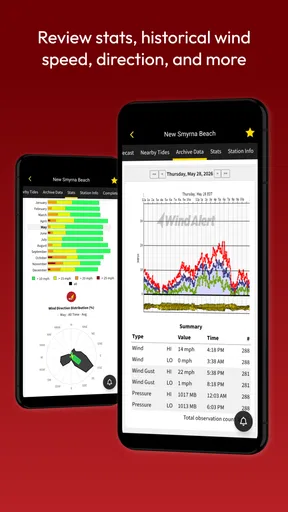
WindAlert provides real-time wind and weather data, including wind speed, direction, and forecasts. It features interactive weather maps, tide charts, and radar overlays. Users can customize alerts for specific conditions and access detailed reports. The app is designed for outdoor enthusiasts like sailors, surfers, and kiteboarders who need precise weather information.
Is WindAlert available for both Android and iOS devices?
Yes, WindAlert is available for both Android and iOS platforms. Users can download the app from the Google Play Store for Android devices and the Apple App Store for iOS devices. It ensures a seamless experience across different devices, allowing users to stay updated on weather conditions on the go.
Does WindAlert require a subscription for full access?
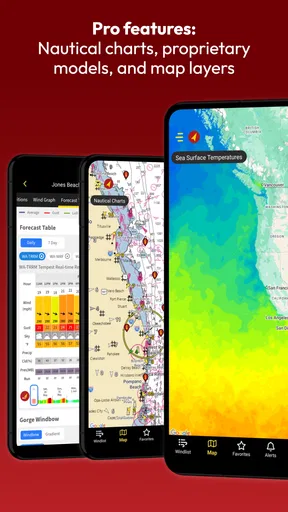
WindAlert offers a free version with basic features, but to unlock advanced tools and detailed forecasts, a subscription is required. The subscription provides access to premium features like high-resolution weather maps, extended forecasts, and personalized alerts, catering to those who need in-depth weather insights.
How accurate is the weather data provided by WindAlert?
WindAlert is known for its accuracy, utilizing data from multiple sources, including government weather agencies and private meteorological services. The app's algorithms enhance data reliability by cross-referencing information, ensuring users receive precise and timely weather updates crucial for planning outdoor activities.
Can I customize notifications for specific weather conditions in WindAlert?
Absolutely, WindAlert allows users to set up custom alerts for specific weather conditions such as wind speed, direction, or temperature changes. These notifications can be tailored to notify users only when certain criteria are met, providing a personalized experience that helps ensure safety and preparedness for outdoor activities.
